BUSINESS PERMITTING & ITM PORTAL

Cleveland Division of Fire

Commercial Permitting:

The Cleveland Division of Fire is improving the permitting experience with a more streamlined application and payment process—making it easier than ever to do business in our great city. Select the permits you need when creating your account.

Service Providers:

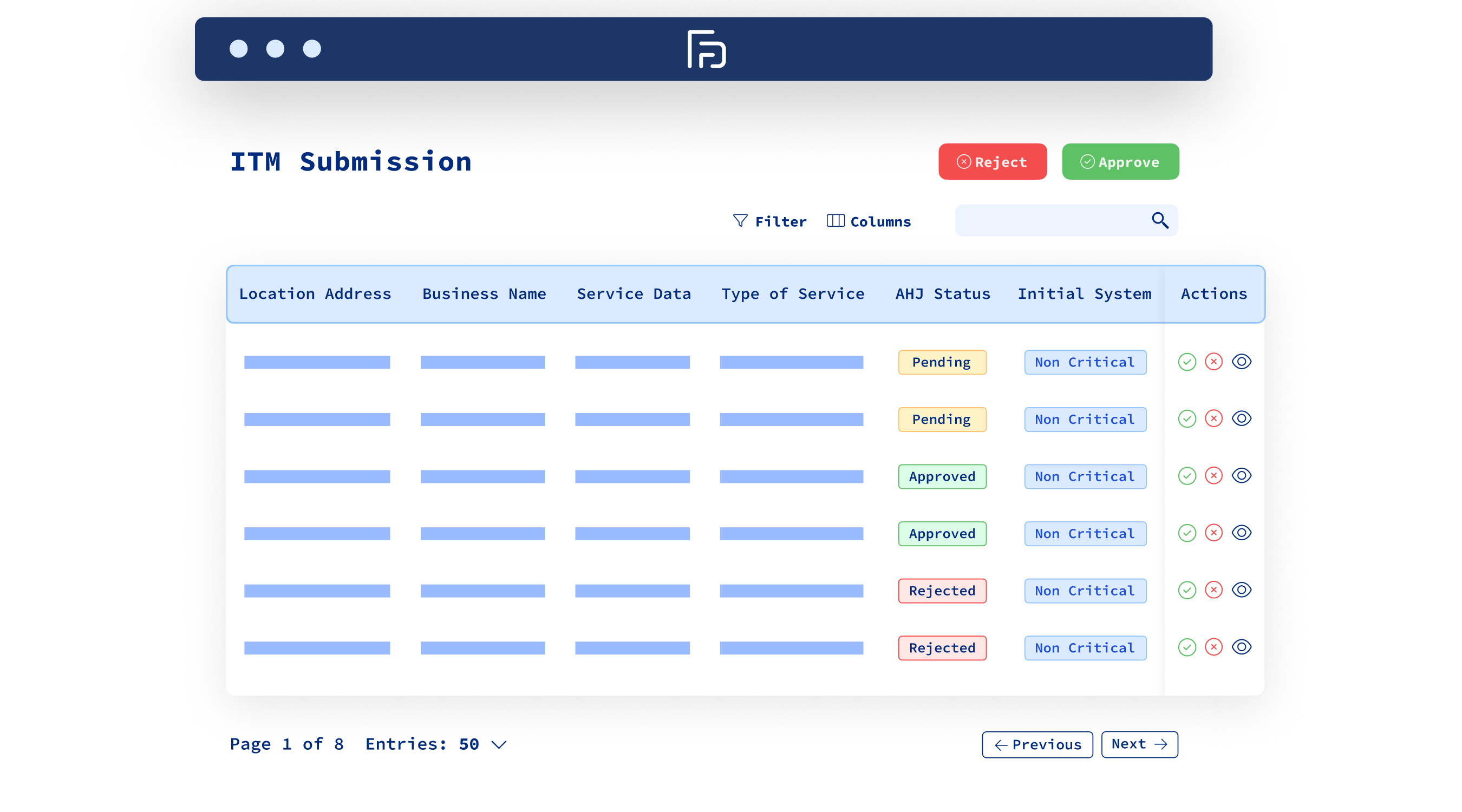
Cleveland’s ITM portal is the new place for submitting required inspection reports to the City Fire Marshal’s Office. Service providers are charged per submission, not per document, while inspectors gain centralized access to reports for more comprehensive inspections.

The logo of the city agency promoting this Community Connect program.
David J. Telban
Fire Marshal

What is the

Business Permitting & ITM Portal?

Commercial Permitting

The Cleveland Fire Prevention Bureau is also working to simplify and expedite commercial permitting for contractors, business owners, and entrepreneurs. By making required permits easier to access and navigate, the City is helping reduce delays and support smoother business operations across Cleveland.

Service Providers

The Cleveland Fire Prevention Bureau uses ITM to streamline inspection report submissions from service providers. The platform gives fire inspectors centralized access to submitted reports, supporting more complete records and more comprehensive inspections throughout the City of Cleveland.

Automated Compliance Reminders

Never miss a deadline with built-in notifications for upcoming inspections and renewals.

Improved Communication

Submit standardized inspection reports quickly and securely from any location using a centralized online platform.

Real-Time Status Updates

Stay informed with instant visibility into report submissions, review status, and deficiency resolution.

Simplified Reporting

Submit standardized inspection reports quickly and securely from any location using a centralized online platform.

Streamlined Deficiency Management

Document, track, and resolve deficiencies efficiently to keep systems in compliance and clients protected.

Automated Compliance Reminders

Never miss a deadline with built-in notifications for upcoming inspections and renewals.

Improved Communication

Submit standardized inspection reports quickly and securely from any location using a centralized online platform.

Real-Time Status Updates

Stay informed with instant visibility into report submissions, review status, and deficiency resolution.

Simplified Reporting

Submit standardized inspection reports quickly and securely from any location using a centralized online platform.

Streamlined Deficiency Management

Document, track, and resolve deficiencies efficiently to keep systems in compliance and clients protected.

Simplified Reporting

Submit standardized inspection reports quickly and securely from any location using a centralized online platform.

Real-Time Status Updates

Stay informed with instant visibility into report submissions, review status, and deficiency resolution.

Improved Communication

Submit standardized inspection reports quickly and securely from any location using a centralized online platform.

Automated Compliance Reminders

Never miss a deadline with built-in notifications for upcoming inspections and renewals.

Streamlined Deficiency Management

Document, track, and resolve deficiencies efficiently to keep systems in compliance and clients protected.

No items found.
No True Single Platform Icon
Streamlined Deficiency Management
Document, track, and resolve deficiencies efficiently to keep systems in compliance and clients protected.
No True Single Platform Icon
Automated Compliance Reminders
Never miss a deadline with built-in notifications for upcoming inspections and renewals.
No True Single Platform Icon
Improved Communication
Submit standardized inspection reports quickly and securely from any location using a centralized online platform.
No True Single Platform Icon
Real-Time Status Updates
Stay informed with instant visibility into report submissions, review status, and deficiency resolution.
No True Single Platform Icon
Simplified Reporting
Submit standardized inspection reports quickly and securely from any location using a centralized online platform.
No items found.

How It Works

1

Create an account

Start by setting up your account using your business name, phone, email, and address.

2

Purchase Credits

Each report submission requires credits. Avoid delays by pre-purchasing credits in the portal.

No True Single Platform Icon
3

Start Submitting Reports

All service providers are required to submit ITM reports through the portal.

Which Fire & Life Safety Systems Require Submissions?

Learn which systems require submissions, for the complete list, visit the ITM Portal.

Support & Training

Step By Step Guides

Guided instructions to configure and manage your ITM portal.
Learn More

Grow Your Business Through Compliance

No True Single Platform Icon
Inspections
No True Single Platform Icon
Repairs
No True Single Platform Icon
Revenue
No True Single Platform Icon
Lives Saved
As AHJs expand enforcement and visibility through the ITM portal, more property owners are taking action to stay in compliance — and that means more inspections, repairs, and maintenance opportunities for service providers like you.


ITM portal makes it easier to support your customers, keep buildings protected, and stay aligned with what AHJs expect. As more property owners take action, you're in the perfect position to deliver the inspections, repairs, and maintenance they need.

Need Additional Support?

Please reach out If you’re having technical issues with ITM, for all other questions please contact the AHJ.